Running a successful farmer’s market stand today isn’t just about great produce—it’s about blending traditional charm with smart digital tools. Whether you’re a seasoned grower or a weekend vendor, the right tech can streamline operations, attract new customers, and keep loyal ones coming back. Here are practical, modern tools that every market stand owner should consider in 2025.
1. Square POS: Seamless, Mobile-Friendly Sales
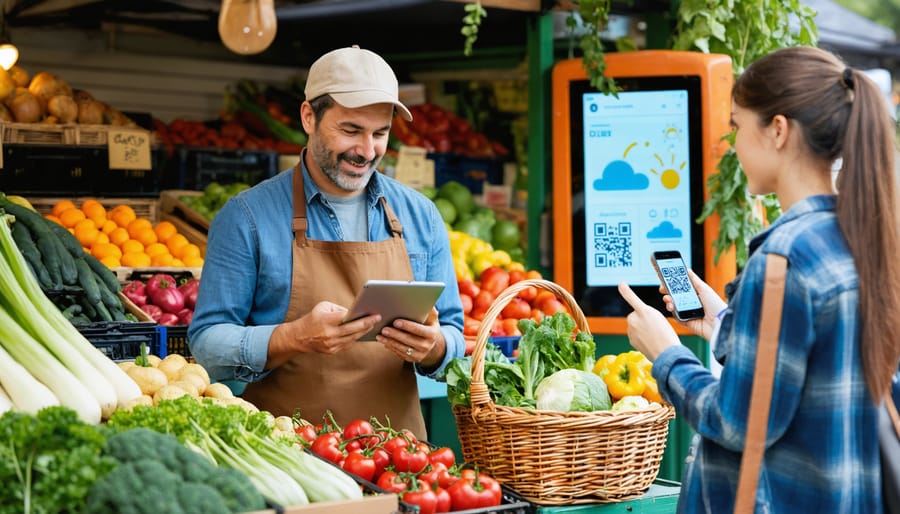
Square’s point-of-sale system remains one of the most trusted tools for small vendors. Its intuitive mobile app turns any smartphone or tablet into a cash register. You can track sales, accept card or tap payments, and even email receipts—all while syncing data to your accounting platform.
Pro Tip: Pair your Square Reader with their offline mode to keep processing sales even when the Wi-Fi drops during busy market mornings.
2. WhatsApp Business: Build Direct Relationships With Your Customers
Not every customer follows social media or checks email newsletters—but most check their phones. WhatsApp Business gives farmers a simple, personal way to stay in touch with regular shoppers. You can set up an automated greeting, answer questions about what’s fresh that week, and even send quick updates when a crop sells out early.
Pro Tip: Use status updates to post your weekend market location, special bundles, or early-bird discounts. Customers can message you directly to reserve items, reducing waste and guaranteeing sales before you even arrive at the market.
3. Trello: Simplify Farm-to-Market Planning
From planting schedules to packing lists, Trello helps farmers stay organized with easy drag-and-drop boards. You can assign harvest tasks to team members, set deadlines for produce prep, and track what’s selling best each week. Its visual layout keeps your operations running like a well-oiled tractor.
Pro Tip: Create a “Market Prep” board to log inventory by week—then review trends at season’s end to plan smarter next year.
4. Instagram + Meta Business Suite: Your Digital Market Stall
Social media is the new word-of-mouth. Use Instagram and Facebook’s Meta Business Suite to schedule posts, reply to customers, and showcase daily harvests. Short videos or Stories showing your produce arriving fresh from the field tend to drive more engagement than ads.
Pro Tip: Post early on market mornings using local hashtags like #FarmersMarketFriday or #FreshFromTheField to reach customers browsing breakfast feeds before they shop.
5. QuickBooks Self-Employed: Taxes Without the Stress
Farmers juggle dozens of expenses—from seed purchases to gas for deliveries. QuickBooks Self-Employed automatically tracks your income, separates business and personal spending, and calculates quarterly taxes. It’s invaluable for vendors who want to stay compliant while focusing on their crops, not their calculators.
Pro Tip: Sync it with your Square POS to automatically categorize each sale, saving hours come tax season.
6. Mailchimp: Turn Shoppers into Subscribers
Repeat customers are the lifeblood of any small stand. Mailchimp’s free tier lets you capture emails through QR codes or simple signup sheets and send weekly updates on what’s in season. Sharing exclusive “first pick” offers for subscribers helps deepen community loyalty.
Pro Tip: Include recipe ideas or quick preservation tips in your newsletters—shoppers love learning how to make the most of their purchases.
🍎 Farmer’s Market FAQ: Your Digital Questions, Answered
To tie everything together, here are some of the top questions vendors ask about digital tools for farmer’s markets—plus actionable answers for each.
What’s the best free design tool for creating farm stand signage and cards?
Adobe Express offers a suite of easy-to-use templates for marketing materials. Use their free print cards feature to make price lists, thank you notes, or business cards that match your brand.
How can I manage my stand’s social media without spending hours online?
Meta Business Suite (for Facebook and Instagram) lets you schedule posts, monitor engagement, and respond to messages from one dashboard. Plan posts midweek to avoid weekend rushes.
What’s a reliable, low-cost system for taking payments at the market?
Square POS is ideal—it’s free to start, works offline, and accepts tap or chip payments. Alternatives like PayPal Zettle or Clover Go are also strong contenders for 2025.
How can I keep track of what’s selling best each season?
Use Trello or Notion to create inventory boards. Record quantities, prices, and what sells out fastest—this data helps you refine next year’s planting and pricing strategy.
Are there tools to make my farm look more professional online?
Yes! Combine a Google Business Profile (for visibility) with Adobe Express or Wix for website visuals, and use Mailchimp to stay connected. Together, these create a polished digital footprint for your market stand.
Technology can feel intimidating, but these tools aren’t about replacing your authenticity; they’re about amplifying it. From mobile payments to simple marketing, the right digital toolkit helps your stand thrive both on the market grounds and in search engines. In 2025, the best farmer’s market vendors aren’t just growers—they’re connectors, storytellers, and local innovators armed with the right mix of heart and hardware.